Software shaped around how you work.
We build CRM systems, operational platforms, approval workflows and internal tools around your processes — connected to the software you already use — so teams stop running the business on spreadsheets, email and copy-paste.
- Built for
- Services · Manufacturing · Distribution · Real estate
- Runs on
- Web · Mobile · Cloud
- Connects to
- ERP · Accounting · E-commerce · Email
From the shared spreadsheet to one system.
Most companies run on an Excel file, email threads and people’s memory. We keep your data and your way of working — and turn it into a system with rules, statuses and one version of the truth.
Six kinds of systems, one way of building them.
- 01
CRM & client portals
Clients, deals, contacts and every conversation in one place — plus a portal where clients see their orders, documents and status.
- 02
Operational platforms
The core system your teams run daily work on: orders, jobs, resources, stock and schedules — replacing the spreadsheets in between.
- 03
Workflows & approvals
Requests, approvals and handovers that move on their own, with rules, limits and a clear record of who did what and when.
- 04
Internal tools & admin panels
The small tools that save hours every week: imports, calculators, data checks and admin panels for systems you already have.
- 05
Field & mobile apps
Apps for people on the road or on site — tasks, checklists, photos and signatures, working offline and syncing when back online.
- 06
Reporting & dashboards
Live numbers for management and teams, straight from the system — no more building the same report by hand every month.
Every request takes one clear path.
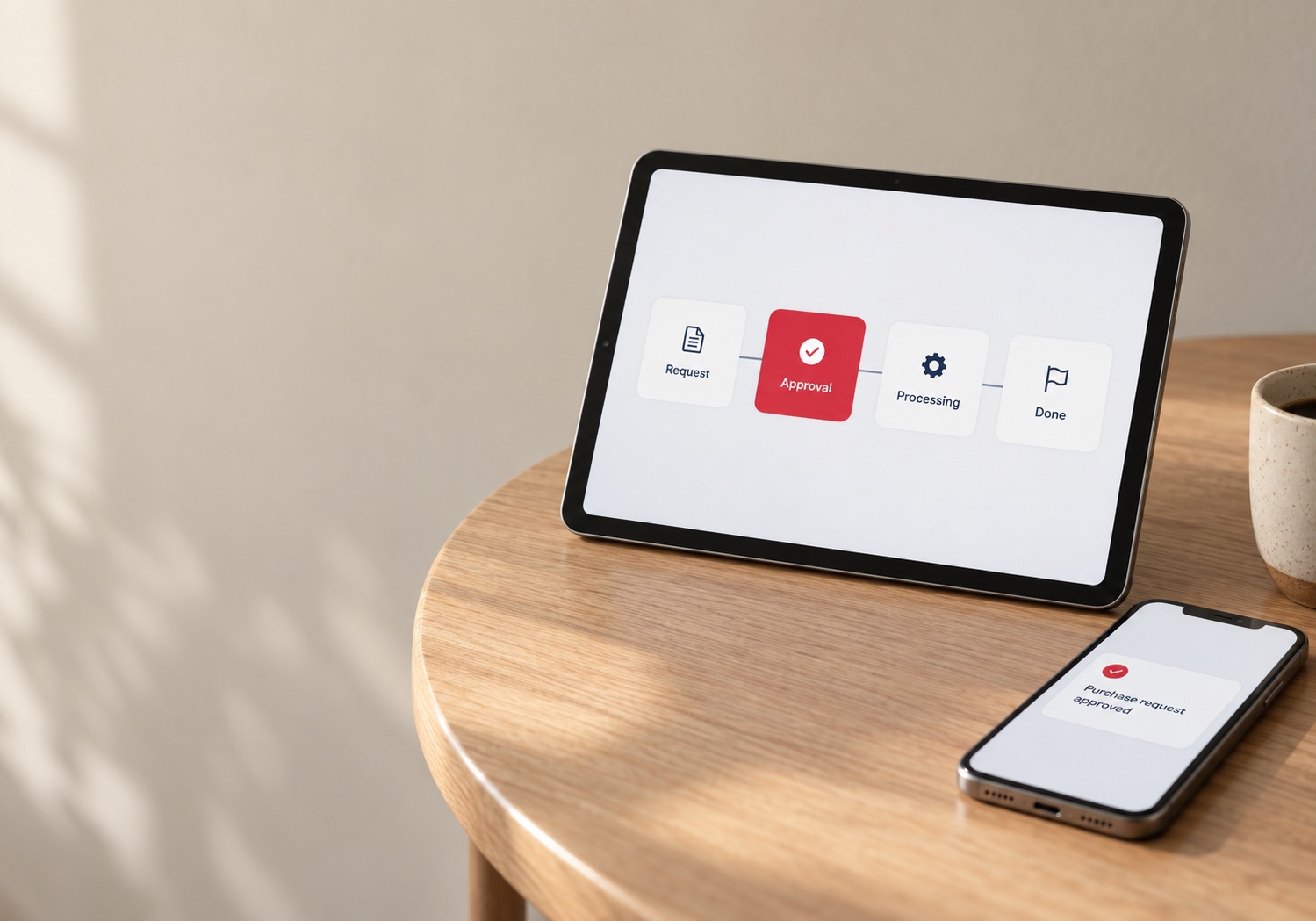
No more “did anyone approve this?”. Rules decide who is next, people approve from wherever they are, and every step is recorded.
- Ana created purchase request #214
- Above €2,000 — sent to Marko for approval
- Marko approved from his phone
- Order sent to supplier through the ERP
- Invoice matched to the order — closed
Connected to what you already use.
A new system should not become one more island. Data is entered once and flows to the tools your teams and accountants already rely on.
- ERP & accountingOrders, invoices, stock
- E-commerceCustomers, orders
- Microsoft 365Email, calendar, files
- Google WorkspaceEmail, calendar, sheets
- Banking & paymentsPayments, statements
- Documents & e-signatureContracts, approvals
- Telematics & devicesVehicles, sensors
- Your databases & APIsAnything with an API
Build or buy? An honest answer.
Not every company needs custom software. If a ready-made product fits, we will say so — and help you connect it instead.
- Your process is close to industry standard
- A product covers most of what you need out of the box
- A small team with few integrations
- The way you work is part of your advantage
- Work runs through several tools, Excel and copy-paste
- Per-user licences keep growing with the team
- You need it connected to systems you already run
How a system gets built.
In phases, with your team involved from the first conversation to the day the old spreadsheet is switched off.
Questions we hear first
It is software built around a company’s own processes — CRM, operations, approvals, field work or reporting — instead of changing how the company works to fit a generic product.
If a standard product covers your process well, use it. Custom software pays off when your process is part of your advantage, when work runs through several tools and spreadsheets, or when per-user licences get expensive. We tell you honestly which fits.
Yes. We connect business systems to ERP and accounting software, e-commerce, Microsoft 365 or Google Workspace, banking and other tools, so data is entered once and flows automatically.
Yes. We clean, map and migrate data from spreadsheets and existing tools, and run the old and new system side by side until the team is ready to switch.
Yes. Office teams usually work in a web app and field teams in a mobile app, both on the same system — including offline work for places without signal.
Your data is always yours. Ownership of the code and licensing are agreed in the contract before the project starts.
We support and monitor the system, fix issues and add features in phases as your business changes — the same team that built it.
Other solutions
- Logistics & MobilityFleet management, dispatch, routing, driver apps and live tracking — from depot to doorstep.
- E-commerceOnline stores and portals for B2B and B2C sales — catalog, stock, payments and fulfillment in one place.
- AI & DataAnalytics, forecasting and intelligent automation — built into the systems you already run.
Every reliable systemstarts with a good conversation.
Tell us what you're planning — a new system, an upgrade or an integration. We'll come back with a concrete next step, not a sales pitch.
- Emailoffice@omniit.us
- LinkedInOmniIT